License management |
  
|
License management |
|
In order to activate your Xpert-Timer you need a license file. There are multiple options to activate the software:
1.) Save the license file (XpertTimer.lic) in the program folder of Xpert-Timer or in your "Documents" folder. When you restart Xpert-Timer, it will detect the file automatically. You only need to activate the license file once, so please make sure you delete it, or rename it and move it into another folder, after the activation. Otherwise, Xpert-Timer will detect the file on every startup.
2.) You can drag&drop the license file onto the "Test-Dialog".
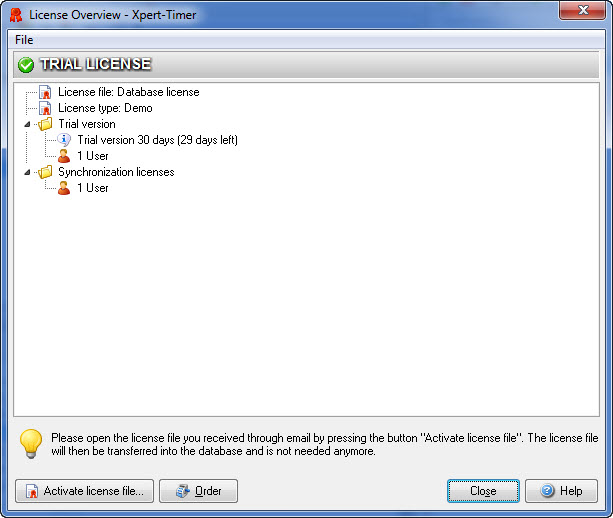
3.) Point to "Help" -> License overview. Then choose "File" -> Activate license file, or use the button in the lower left corner.
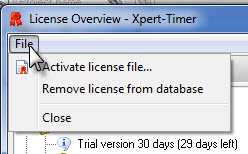
The license overview shows, what modules are included in your license. Our example is a trial license for 1 user and includes one synchronization license. There's 29 days left in our trial.